Offline Data Mode
Take your data anywhere — work online or offline without the risk of duplicate files or lost changes.
Offline Data Mode lets you work with your data from anywhere in the world, regardless of your internet connectivity. Take your data offline — whether you’re reviewing documents on a flight or out in the field with a 12d Model project — and work freely between the office and the field.
Offline Mode lets you download your data to your local drive, where it stays locked on the master server while you work offline. That means no more duplicate files or rework caused by miscommunication.
Make project information easier to manage with 12d Synergy.
From documents and drawings to emails, models and workflows, 12d Synergy brings everything together in one secure system so your team can work more efficiently from day one.
Book a DemoOptimising Your Offline Workflows
Locating offline data can quickly get messy in File Explorer, especially when it’s shared across multiple laptops and computers. Offline Data Mode fixes that.
You can instantly locate your offline data in both 12d Synergy and File Explorer, giving you immediate context — exactly where your offlined files live within your job tree and folder structure, along with their project attributes.
To view your offlined data, simply select the 12d Synergy icon in the top ribbon and click ‘View Offline’
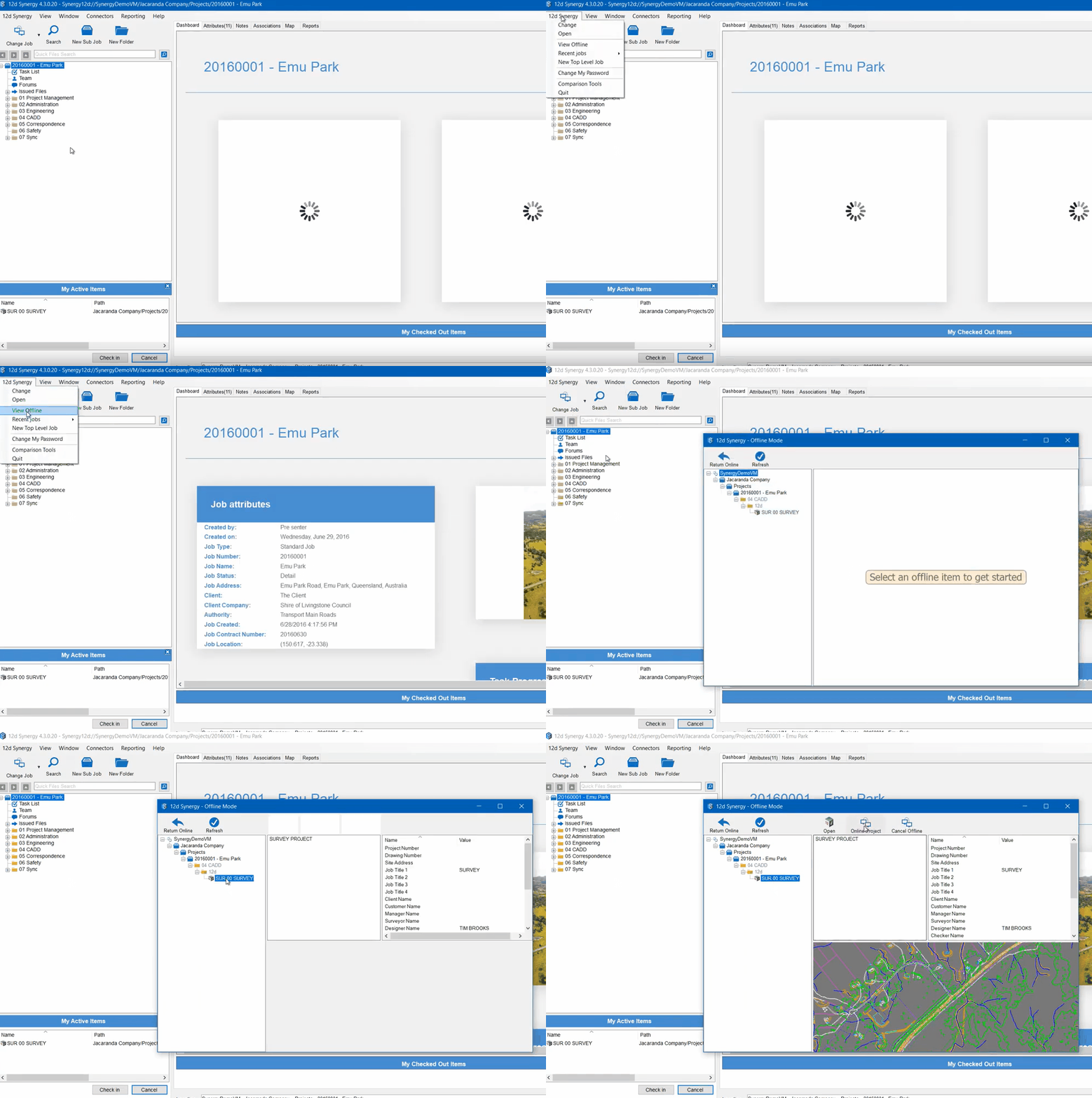
Your offlined 12d Model project appears in a panel with a ‘mini’ job tree and a preview image, along with all your project attributes — Project Number, Client, Site Address, Designer Name, and more.
Offline Data Mode combines mobility with efficiency, so your workflow stays simple no matter which site you’re working from.

12d Synergy
Common Data Environment
Make project information easier to manage with 12d Synergy.
From documents and drawings to emails, models and workflows, 12d Synergy brings everything together in one secure system so your team can work more efficiently from day one.
Book a Demo