
Image Gallery & Tile View
View, edit and manage your image assets faster — from scrollable galleries to at-a-glance thumbnails.
Beyond the geospatial models, documents and emails, all architectural, engineering and construction companies also have numerous image assets they need to manage in their data and document management system. Such assets may include site progress snaps, field inspection images and aerial photography.
Appropriately managing these assets has become increasingly important as photos are now a form of legal documentation, such as project completion images, which visually account for what was provided to the client.
Make project information easier to manage with 12d Synergy.
From documents and drawings to emails, models and workflows, 12d Synergy brings everything together in one secure system so your team can work more efficiently from day one.
Book a DemoImage Gallery: Making Images Visual
This feature transforms how images are viewed in 12d Synergy from lines of text to a scrollable visual gallery. It makes managing your images visual – which is exactly how it should be.
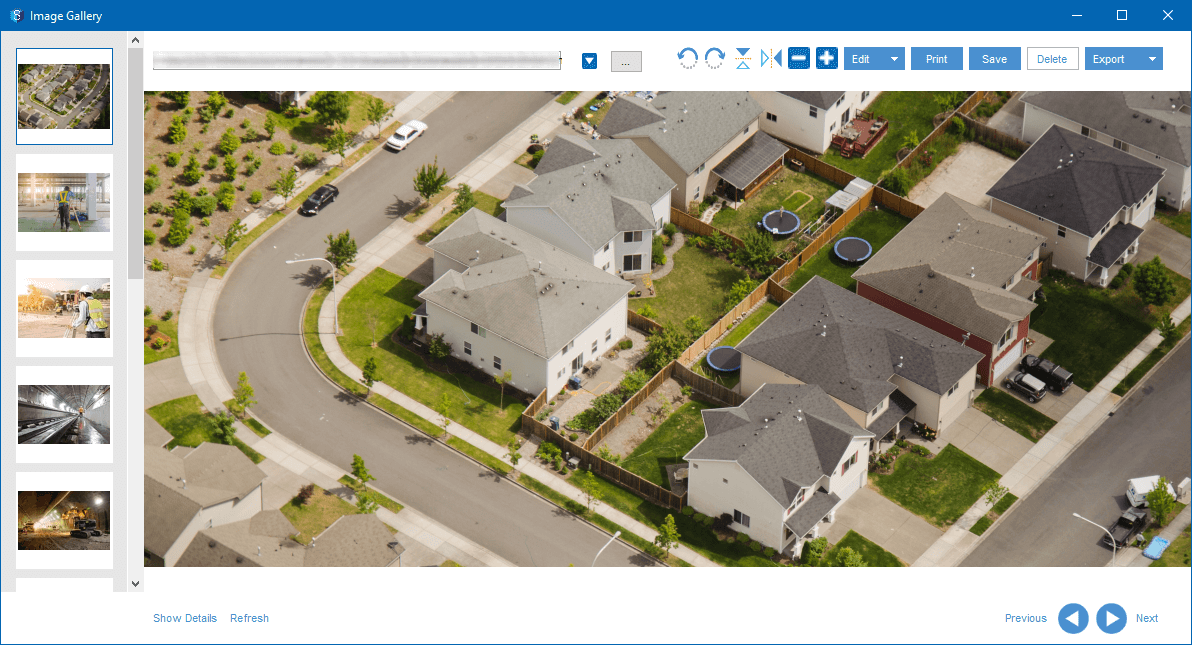
In the Image Gallery you can:
• Scroll between all your images in a folder
• Zoom in and out of the previewed image
• Check-out images and edit them
• Rotate and flip images
• Export, print and save pictures
Tile View in 12d Synergy
12d Synergy also has a new toggleable thumbnail view for all your files. It lets you quickly see all your images at a glance, as opposed to being hidden behind rows of text. You no longer need to open an image file to see what it is.
Simply right-click anywhere in the file list window and select ‘Toggle View’. This will switch your view in 12d Synergy from List to Tile.
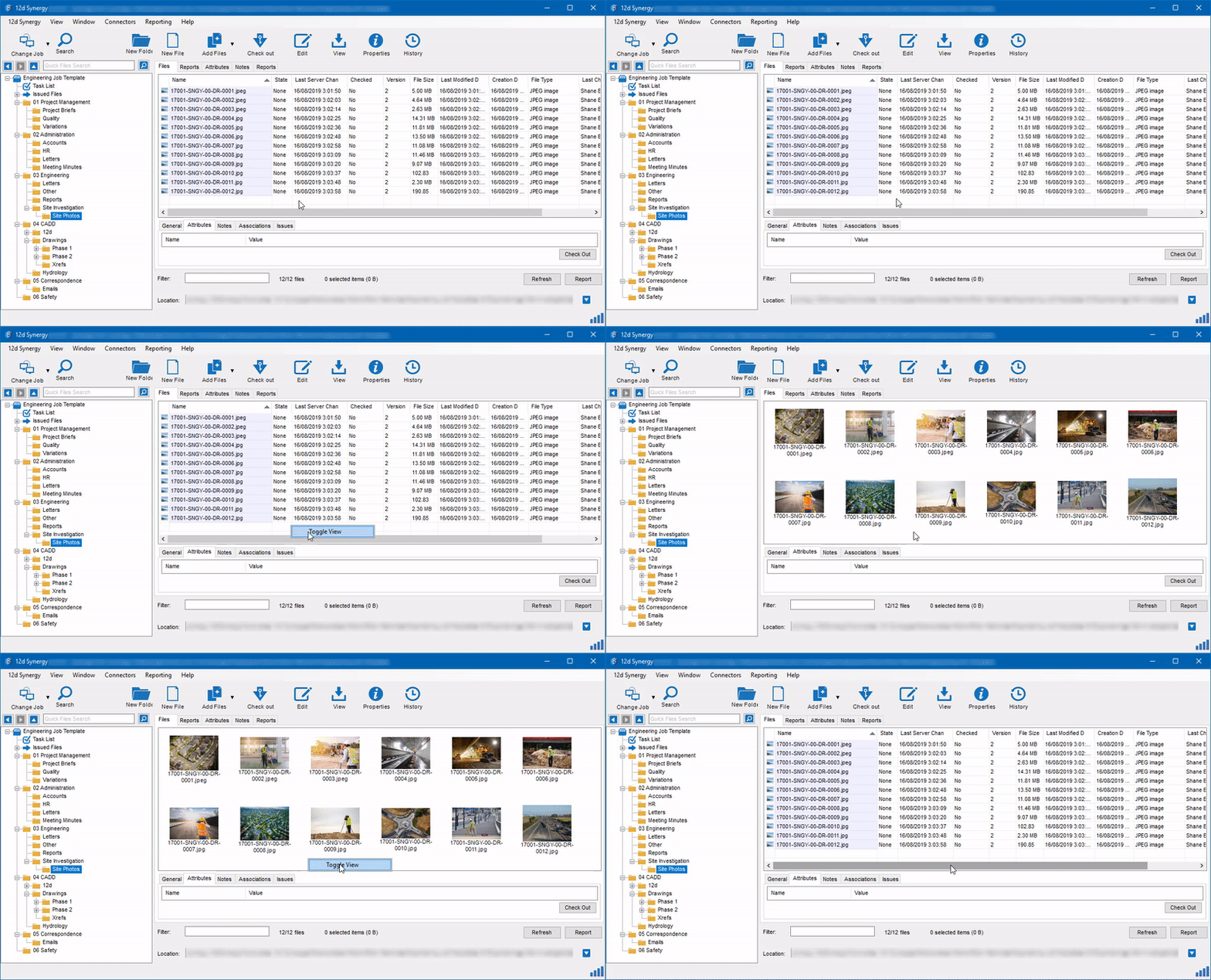
You can set a folder to default to the Tile view, for example, a site photos folder. Simply right-click on the folder you wish to update and select ‘Edit Folder’. (Note: if you can’t see the Edit option, you don’t have permissions to edit it, and you’ll need to contact your system admin)
Next, select the ‘Folder Layout’ settings column from within ‘General’ and tick the ‘Title View’ option. Then click ‘Save’ to apply the change.
Managing Images in 12d Synergy
Single Source of Truth
12d Synergy gives you a single source of truth for all your company’s images. It ensures they’re quickly and remotely accessible by all authorised users, rather than being lost on users’ local machines and mailboxes.
Enforced Naming and Filing Rules
Lock down your naming conventions and ensure that all your images are appropriately named and filed with 12d Synergy’s customisable naming rules.
Easier Sharing and Collaboration
Notes can be easily added to images so you can make comments on images for your team to see. You can also easily share images with unique links, so if the image is moved or renamed, the link still works.
File Attributes
Metadata can be added to your images, which makes categorising and searching for them faster and easier, such as adding the job number or address to an image.

12d Synergy
Common Data Environment
Make project information easier to manage with 12d Synergy.
From documents and drawings to emails, models and workflows, 12d Synergy brings everything together in one secure system so your team can work more efficiently from day one.
Book a Demo