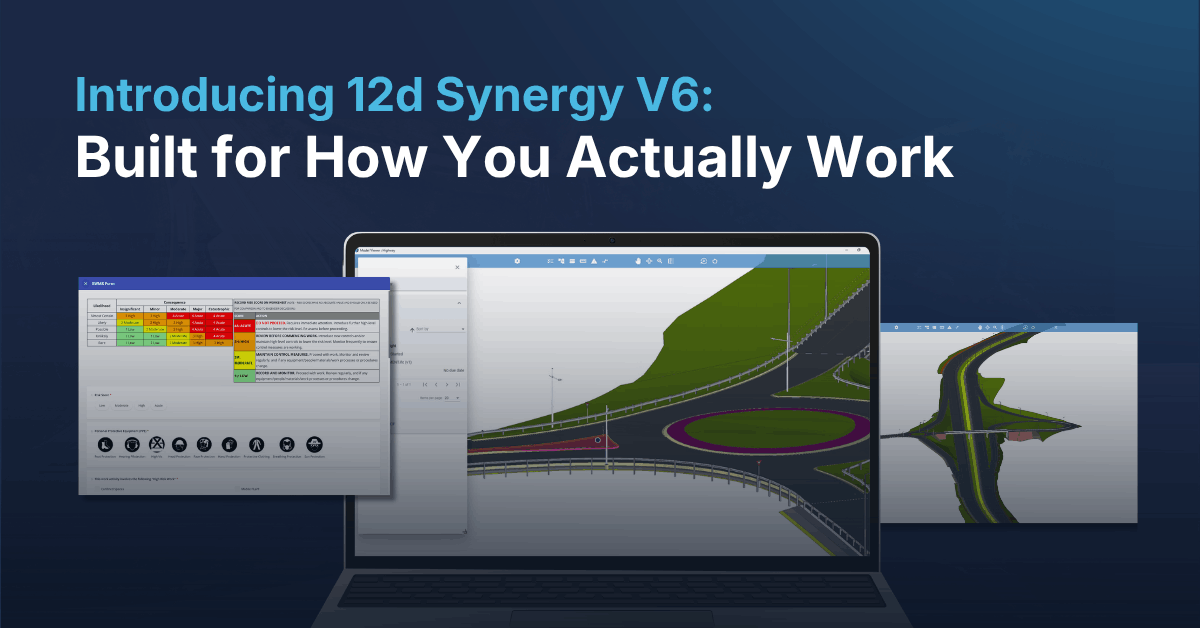
Introducing 12d Synergy V6: Built for How You Actually Work
Engineering and construction teams don’t lose time because they lack tools. They lose it because their tools don’t talk to each other. Field data sits in one app, coordination issues live in email threads or a separate BIM platform, and by the time everything makes it into the project record, something’s already been re-typed, re-checked, or missed.
That disconnect is exactly what a Common Data Environment is supposed to solve; and it’s what we’ve focused on closing further with 12d Synergy V6, live now.
Make project information easier to manage with 12d Synergy.
From documents and drawings to emails, models and workflows, 12d Synergy brings everything together in one secure system so your team can work more efficiently from day one.
Book a DemoWhether you’re managing a small survey job or coordinating a federated model across multiple disciplines, V6 brings the tools you need closer to the work. With this version of 12d Synergy, there will be no more jumping between platforms to capture data, review issues, or catch a clash before it becomes a costly one.
Why We Built It This Way
Every version of 12d Synergy starts the same way: with the problems our customers are actually facing while working on real projects.
As digital engineering has matured, we kept hearing the same themes. Teams need to capture data anywhere, not just at a desk. Coordination issues need to live inside the project record, not scattered across email threads. And as BIM adoption grows across civil and infrastructure work, the gap between managing files and managing models needed to close.
V6 was built to close that gap while staying true to what 12d Synergy has always stood for: a secure, ISO-aligned Common Data Environment that fits into how you already work, not the other way around.
What’s New
Forms: Capture Data Anywhere, Output It Anywhere
Field data capture has always meant a trade-off, be it paper forms that need re-keying back at the office, or rigid third-party tools that don’t talk to your project record.
V6 introduces a built-in Forms builder. Create custom forms for whatever you need to capture from inspections, checklists, to site records and more, and fill them out from the Windows Client, the Web app, or the Mobile app. Once submitted, forms generate directly into Word, Excel, CSV, or PDF, styled with your own branding.
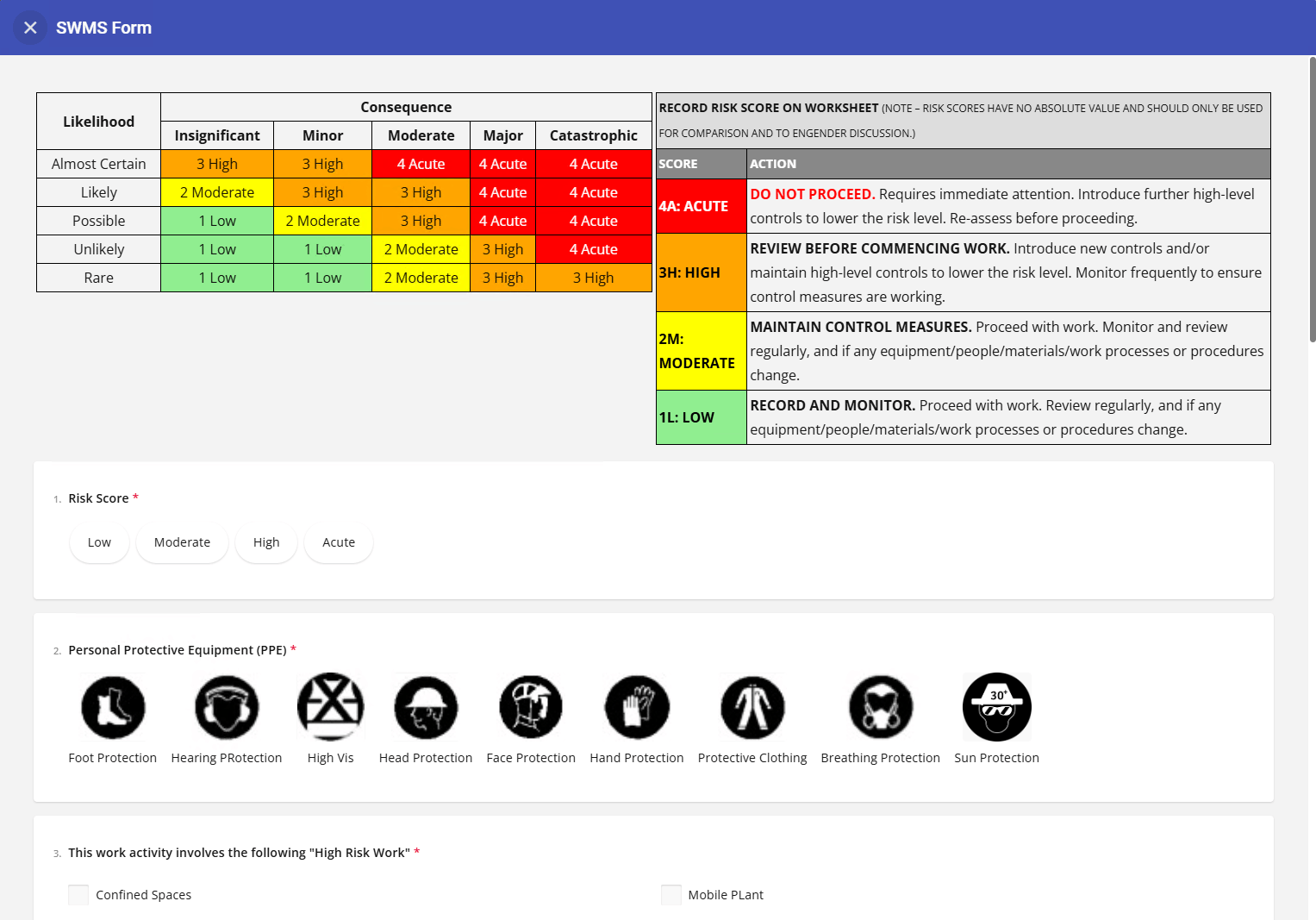
But along with being a field tool, 12d Synergy Forms plugs directly into your workflows too. A form can be triggered as part of a task or a workflow step, and the answers within it can drive what happens next. Picture a design review workflow where a reviewer is automatically prompted with a sign-off form at the right stage, and a “fail” response kicks off a follow-up task or notifies the right person, no one needs to chase it manually.
As a result, the data goes from the field, or from the middle of a review process, into your CDE in one step, with no re-entry and no manual follow-up. It’s a change site teams, project admins, and anyone running a standardised review process will feel immediately.
📺 On-Demand Webinar
Want to see Forms in action before you upgrade? Watch: From Paper to Connected
James Irwin walks through building digital forms your whole team can use from day one, cutting manual re-entry, and generating a timestamped audit trail automatically, no scanning or chasing required.
Watch Free On DemandBIM Viewer & Issue Tracker: Coordination Without Leaving Your CDE
Reviewing IFC models and managing coordination issues has typically meant switching to a dedicated BIM platform, pulling issues out of your CDE, and losing the connection back to the rest of the project.
V6’s BIM Viewer lets you open and interact with IFC files directly: view model properties, federate multiple models, and raise issues right from within the viewer. Issue Tracking works across the whole platform too by allowing you to raise and track issues against jobs, files, 12d Model projects and managed folders, not just models, with admins able to define custom issue types and status workflows to match your process. Issue Tracking can also be used alongside the BIM Viewer to track issues raised directly against IFC models.
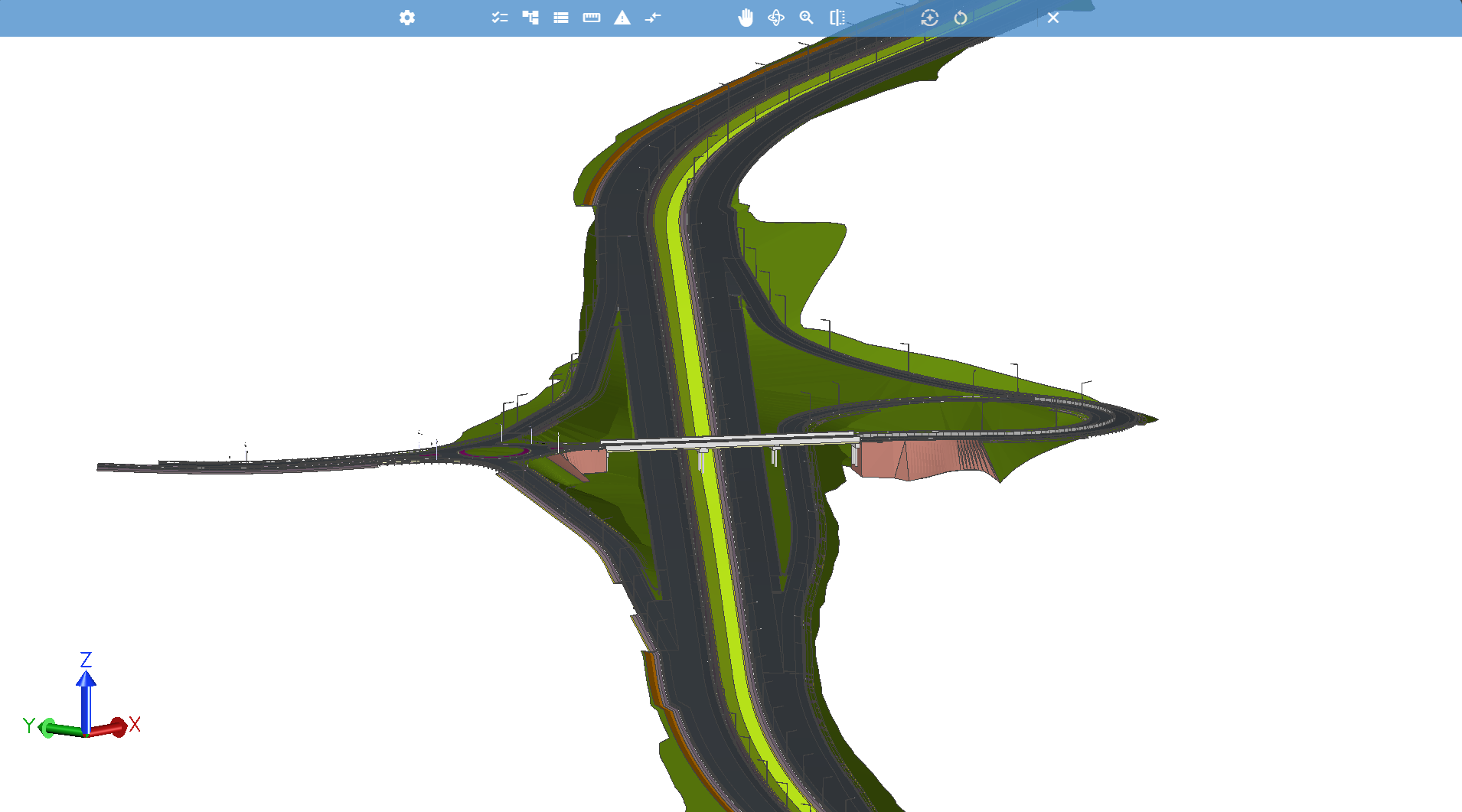
For BIM managers and project leads coordinating across disciplines, that means one issue, tracked from raise to resolution, without ever leaving the system that already holds your project data.
Clash Detection: Catch Problems Before They Cost You
Clashes caught late in a project are expensive, in redesign time, rework, and trust between teams.
Built into the BIM Viewer, clash detection scans your federated models to find and tag collisions when requested. Raise a clash directly as an issue in 12d Synergy or exchange it with third parties via a BCF file if they’re working outside the platform.
For BIM coordinators and multi-discipline teams, that means clashes get caught and actioned earlier, inside the same workflow your team already tracks everything else through.

A Few More Additions Worth Knowing About
V6 also adds direct Power BI support, so you can report on your 12d Synergy data including jobs, file storage, license usage and more alongside everything else in your business intelligence stack.
If you work in MicroStation or OpenRoads, there’s also a new drawing plugin that lets you open, save, check in and out, and manage references on your files directly from within the application without stepping out to the 12d Synergy Client for routine file actions. Small additions, but handy ones if reporting or CAD workflows are part of your day-to-day.
Where We’re Taking This Next
As datasets get bigger and workflows get more complex, our focus is on making sure 12d Synergy scales with you: handling larger, more connected project data without compromising the data integrity and ISO 19650 alignment our customers rely on.
We’re also looking closely at where AI can genuinely simplify the day-to-day as a way to help teams get to the right file, the right issue, or the right answer faster. More on that as it takes shape.
What This Means for You
Already a 12d Synergy customer? V6 is available now. Check out the release notes for full upgrade details and reach out to our support team if you have questions before you begin.
The Bigger Picture
V6 reflects what we keep hearing from the people who use 12d Synergy every day: fewer systems, more connections, and tools that keep pace with how the industry is actually changing.
That’s the version we’ve built, and it’s the direction we’re continuing in.
Ready to move to V6?
Whether you're already on 12d Synergy or still evaluating, here's where to go next.
Existing customer
Already running 12d Synergy?
Read the prerequisites and system requirements first, then get your V6 license via the Support Portal.
New here
New to 12d Synergy?
See how Forms, BIM Viewer, and Clash Detection work together in a live walkthrough tailored to your projects.

12d Synergy
Common Data Environment
Make project information easier to manage with 12d Synergy.
From documents and drawings to emails, models and workflows, 12d Synergy brings everything together in one secure system so your team can work more efficiently from day one.
Book a Demo